Photo Backup Apps That Save Every Image Automatically Without Eating Your Storage
Compare photo backup apps that save images automatically without filling your phone. Google Photos, iCloud, Amazon Photos, and OneDrive features tested.
Anúncios
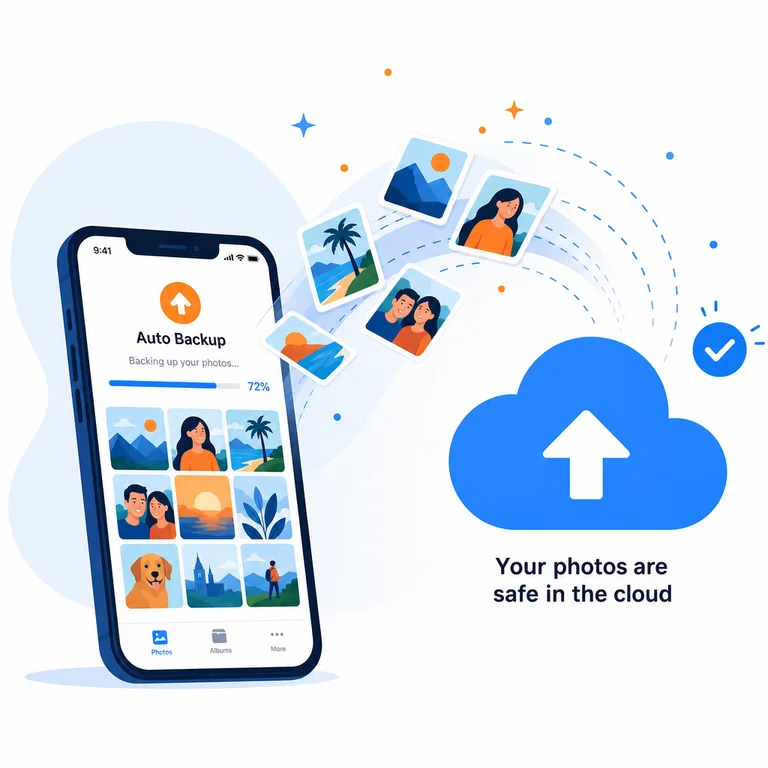
Losing years of photos because a phone broke or got stolen happens more than people admit. Automatic photo backup apps eliminate that risk by syncing every image to the cloud the moment you take it. The real question is which service gives you enough storage without compressing your memories into mush.
Why Automatic Photo Backup Matters
Manual backups don't happen consistently. People forget, procrastinate, or assume they'll do it later. Automatic backup removes human unreliability from the equation. Every photo and video syncs to cloud storage within minutes of capture, creating a second copy that survives phone loss, theft, or hardware failure.
Anúncios
Local backups to a computer add another layer of protection but require physical access. Cloud backup works anywhere with an internet connection. Most services offer background uploading over Wi-Fi, preventing mobile data surprises on your phone bill.
Google Photos Storage and Quality Options
Google Photos offers 15GB free shared across Gmail, Drive, and Photos. The Storage Saver option compresses images slightly to fit more into the free tier. Original quality preserves full resolution but consumes storage faster. Paid plans start at 100GB for a reasonable monthly fee.
Anúncios
Search functionality sets Google Photos apart. Finding photos by person, place, object, or even text within images works accurately. The AI-powered suggestions create collages, animations, and highlight reels automatically. Sharing albums with other Google users is seamless.
How Does iCloud Photos Compare?
iCloud offers 5GB free, which fills almost immediately with a modern iPhone camera. Paid tiers range from 50GB to 12TB. The Optimize Storage feature keeps thumbnails on the device and downloads full resolution on demand, saving significant local space.
Integration with Apple devices is effortless. Photos taken on an iPhone appear on iPad, Mac, and Apple TV within seconds. The Family Sharing plan lets up to five people share a single storage subscription. Cross-platform access through iCloud.com works but feels clunky on Android.
Is Amazon Photos Worth It for Prime Members?
Amazon Photos gives Prime members unlimited full-resolution photo storage at no additional cost. Video storage is capped at 5GB on the free tier. This makes it the best value for Prime subscribers who primarily shoot photos rather than video.
The Family Vault feature lets up to five people contribute photos to a shared collection. Search capabilities include object and location recognition, though not as refined as Google's implementation. The desktop app handles bulk uploads efficiently for migrating existing photo libraries.
What Does OneDrive Offer for Photo Backup?
OneDrive provides 5GB free with 100GB available through Microsoft 365 Personal subscriptions. Camera upload syncs photos automatically in the background. The Personal Vault adds an extra security layer with identity verification for sensitive images.
Microsoft 365 subscribers get 1TB of OneDrive storage bundled with Word, Excel, and PowerPoint access. This makes it the best value for anyone already paying for Office apps. Photo organization tools are basic compared to Google Photos but functional for simple browsing.
Can Synology Photos Replace Cloud Services?
Synology Photos runs on Synology NAS hardware, storing everything on your own drives. No monthly subscriptions or storage caps beyond your physical hardware. Face recognition, location tagging, and timeline views work locally without sending data to external servers.
The mobile app mirrors cloud service functionality with automatic background uploads. Remote access through Synology QuickConnect works from anywhere. Initial hardware cost is higher than years of cloud subscriptions, but total ownership cost drops below cloud pricing after two to three years.
How Much Storage Do You Actually Need?
A typical smartphone user takes 1,000-2,000 photos per year. At 4MB average per photo, that's roughly 4-8GB annually for photos alone. Video dramatically changes the math—one minute of 4K video consumes 300-400MB. Frequent video shooters need 200GB+ within two years.
Screenshots, downloads, and WhatsApp images inflate storage consumption silently. Most backup apps include these by default. Excluding folders you don't need backed up reduces storage waste and keeps your cloud library relevant.
Does Compression Actually Ruin Photo Quality?
Google Photos' Storage Saver compresses images to 16MP and videos to 1080p. For casual viewing on phone screens, the difference is invisible. Printing large format photos reveals compression artifacts, especially in areas with subtle gradients like skies and skin tones.
Professional photographers and anyone printing above 8x10 inches should use original quality storage. Everyone else saves money and storage with compressed options. The emotional value of a photo doesn't decrease because it lost a few megapixels.
Privacy and Encryption Across Services
Google scans photos for AI features like search and automatic albums. Apple encrypts iCloud photos in transit and at rest, with Advanced Data Protection offering end-to-end encryption. Amazon's privacy policy allows using uploaded content for service improvement.
Synology Photos keeps everything on your hardware, eliminating third-party access entirely. For maximum privacy with cloud convenience, iCloud with Advanced Data Protection enabled provides the strongest encryption among major providers.
Sharing Albums and Collaborative Features
Google Photos shared albums let contributors add their own photos and comments. iCloud Shared Albums work similarly within Apple's ecosystem. Amazon's Family Vault centralizes family photos in one searchable collection. OneDrive sharing generates links with optional password protection.
Event sharing after weddings, vacations, or gatherings benefits from services where recipients don't need accounts. Google Photos and OneDrive handle guest viewing best. iCloud requires Apple ID for full participation, limiting cross-platform group sharing.
Migrating Between Photo Backup Services
Google Takeout exports your entire photo library as a downloadable archive. Apple provides similar export through iCloud.com or the Photos app on Mac. Amazon allows bulk downloads through its desktop application. Moving between services means downloading everything and re-uploading, which takes hours for large libraries.
Metadata preservation during migration varies. Google embeds location and date data within exported files. Apple sometimes stores metadata separately, requiring manual recombination. Testing a small export before migrating your full library prevents unpleasant surprises.
- Google Photos offers the best AI-powered search and 15GB free storage
- iCloud integrates seamlessly with Apple devices and offers end-to-end encryption
- Amazon Photos gives Prime members unlimited full-resolution photo storage
- OneDrive bundles 1TB storage with Microsoft 365 subscriptions
- Synology Photos eliminates subscription costs with self-hosted storage