Battery Saver Apps and Settings That Add Hours to Your Phone Without Performance Loss
Compare battery saver apps and settings that extend phone life without hurting performance. Background limits, display tweaks, and adaptive features tested.
Anúncios
Your phone dying at 2 PM is a fixable problem. Battery saver apps and built-in settings can stretch your charge by hours, but most people either ignore them or assume they'll make the phone unusable. The truth sits somewhere more useful.
What Actually Drains Your Battery Fastest?
Screen brightness and background app refresh consume roughly 60% of daily battery on most Android and iOS devices. GPS-heavy apps like navigation and weather widgets pull location data constantly. Social media apps refresh feeds even when closed.
Anúncios
Bluetooth and Wi-Fi scanning run passively on default settings. Each scan cycle is tiny, but thousands per day add up. Disabling scanning when not connected saves measurable power across a full charge cycle.
Built-In Battery Saver Modes Compared
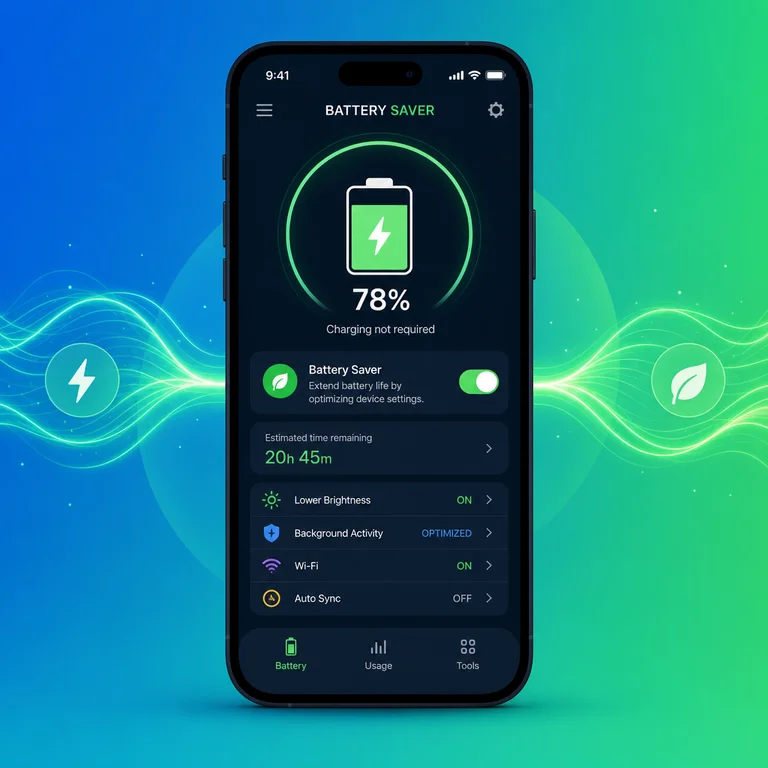
Android's Battery Saver limits background sync, reduces animations, and dims the screen slightly. iOS Low Power Mode does similar work, cutting mail fetch, automatic downloads, and some visual effects. Both activate manually or at a set percentage.
Anúncios
Samsung's built-in power mode adds an extra aggressive tier that restricts CPU speed. Pixel devices use Adaptive Battery powered by machine learning to predict which apps you won't use and restrict them preemptively.
Do Third-Party Battery Apps Actually Work?
Apps like AccuBattery, Greenify, and Battery Guru offer features beyond stock settings. AccuBattery tracks charge cycles and estimates battery health degradation over time. Greenify hibernates apps aggressively, stopping background processes the OS normally allows.
Battery Guru learns your usage patterns over several days, then applies custom restrictions. The initial learning period means it won't show results immediately, which frustrates users who uninstall before giving it time.
AccuBattery Features and Limitations
AccuBattery monitors real-time discharge rates per app, showing exactly which processes cost the most milliamp-hours. Its charge alarm feature alerts you at 80% to reduce battery wear from full charges. The free tier covers basics while the pro version removes ads and unlocks historical data.
Its main limitation is accuracy on newer devices with adaptive charging built in. The app sometimes double-counts savings from features the OS already handles. Useful for older phones where stock battery management is basic.
How Does Greenify Compare to Stock Hibernate?
Greenify forcibly hibernates apps so they cannot wake themselves in the background. Stock Android doze mode delays wake-ups but doesn't prevent them. The difference matters for apps that ping servers frequently, like messaging clients and email.
On rooted devices, Greenify can hibernate system apps and services that normally resist restriction. Without root access, it still outperforms stock doze for aggressive background control, though notification delays become more noticeable.
Display Settings That Save the Most Battery
Switching to dark mode on OLED screens reduces power draw by 30-40% at full brightness. Adaptive brightness uses sensors to match screen output to ambient light, preventing unnecessary power use in dim rooms. Reducing screen timeout to 30 seconds saves more than most people expect.
Lowering resolution on Samsung devices from WQHD+ to FHD+ saves GPU and display power with minimal visible difference during normal use. Smooth motion settings at 120Hz consume noticeably more than 60Hz, so switching to standard refresh rates during low battery makes sense.
Which Background App Restrictions Actually Help?
Restricting background data for individual apps prevents them from syncing when you aren't using them. Social media, news aggregators, and shopping apps are the worst offenders. Turning off background refresh for ten heavy apps can add 45-90 minutes of screen time per charge.
Location permissions set to 'only while using' instead of 'always' stop GPS-heavy apps from draining power constantly. Weather, fitness, and delivery apps frequently request always-on location when they only need it during active sessions.
Adaptive Battery and Machine Learning Features
Google's Adaptive Battery uses on-device machine learning to classify apps into standby buckets. Rarely used apps get restricted aggressively while frequently used apps stay unrestricted. The system improves over two weeks of normal usage patterns.
Apple's Optimized Battery Charging learns your daily routine and delays charging past 80% until needed. This reduces long-term capacity loss from heat generated during the final 20% of charging. Both approaches prioritize longevity over maximum daily charge.
Battery Saver Apps for Older Devices
Phones running Android 10 or earlier lack modern adaptive features. Apps like Naptime and Servicely fill the gap by enforcing aggressive doze parameters and killing persistent services. These tools work best on rooted devices but offer limited features without root.
For aging iPhones stuck on older iOS versions, reducing motion effects, disabling Siri suggestions, and turning off analytics sharing provides modest but real savings. No third-party battery app exists for iOS due to Apple's sandboxing restrictions.
How to Test Battery Life Improvements Accurately
Measure screen-on time over three identical usage days before and after changes. Single-day comparisons are unreliable because usage varies daily. AccuBattery's per-app drain tracking helps identify whether changes actually reduced consumption or just shifted it.
Airplane mode tests isolate hardware drain from software drain. A phone losing more than 5% overnight in airplane mode likely has a hardware issue no app can fix. Software optimizations only help when software is the actual problem.
Charging Habits That Extend Battery Lifespan
Keeping charge between 20% and 80% reduces chemical stress on lithium-ion cells. Fast charging generates heat that accelerates degradation, so using slow charging overnight is gentler on the battery. Wireless charging generates even more heat than wired fast charging.
Extreme temperatures cause permanent capacity loss. Leaving a phone in a hot car or using it while charging in direct sunlight damages cells irreversibly. Cold weather temporarily reduces available capacity but doesn't cause permanent harm.
Should You Use Multiple Battery Apps Together?
Running multiple battery management apps simultaneously wastes resources. Each app monitors processes, which itself consumes CPU and memory. Pick one app that covers your needs and uninstall the rest. AccuBattery for monitoring plus stock battery saver for restrictions is a reasonable combination.
Conflicting hibernation schedules between apps can cause erratic behavior. One app might wake a process that another just put to sleep, creating a loop that drains more battery than doing nothing. Simplicity wins here.
- AccuBattery tracks per-app drain and charge health over time
- Greenify forcibly hibernates background apps beyond stock doze
- Battery Guru uses pattern learning but needs a multi-day calibration period
- Built-in modes on Android and iOS cover most users without third-party tools
- Dark mode on OLED screens saves 30-40% display power at full brightness