File Scanner Apps That Turn Your Phone Camera Into a Portable Document Center
Compare file scanner apps that turn your phone into a document center. Adobe Scan, Microsoft Lens, Genius Scan, and CamScanner tested.
Anúncios
Carrying a flatbed scanner to digitize documents is absurd, but the alternative—blurry phone photos of contracts—isn't much better. File scanner apps correct perspective, enhance contrast, and apply OCR to produce clean, searchable PDFs from phone camera shots. The best ones make the result indistinguishable from a real scanner.
What Makes Phone Scanning Better Than Just Taking a Photo?
Scanner apps detect document edges automatically, crop to the page boundary, and correct perspective distortion from angled shots. Contrast enhancement whitens backgrounds and darkens text, producing clean documents from wrinkled or lightly printed originals. Multi-page scanning compiles several captures into a single PDF with proper page ordering.
Anúncios
OCR processing converts the scanned image into searchable and selectable text. Finding a specific clause in a 20-page contract takes seconds with OCR versus minutes of scrolling through images. These combined features turn a phone photo into a professional-quality digital document.
Adobe Scan Quality and Integration
Adobe Scan produces consistently sharp scans with accurate edge detection even on cluttered surfaces. Auto-capture triggers the shutter when the document is properly framed, eliminating manual timing. The OCR runs on Adobe's servers, producing text layers that match the visual layout accurately.
Anúncios
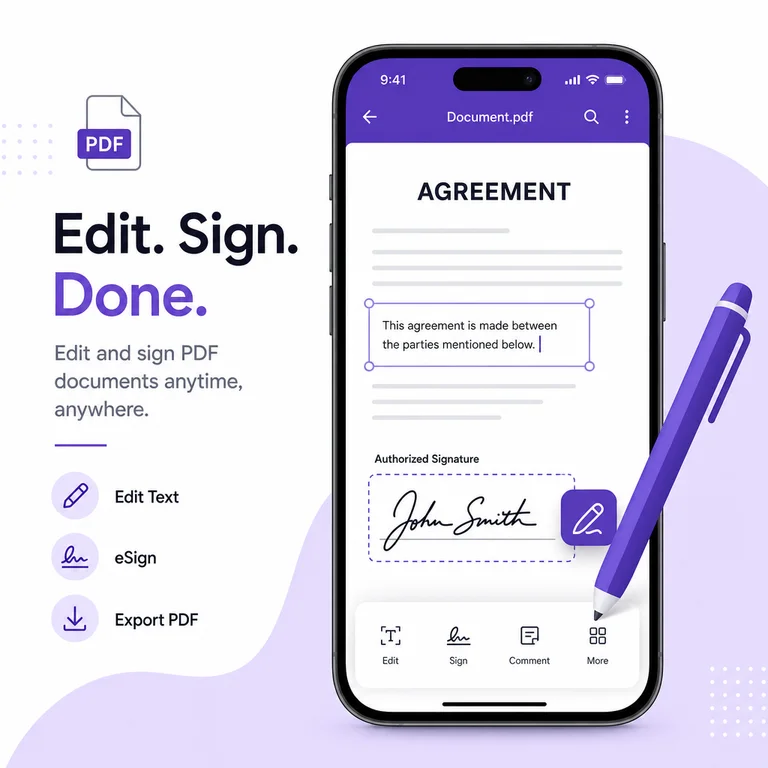
Direct integration with Adobe Acrobat allows editing scanned documents, adding signatures, and combining pages. Adobe Document Cloud stores scans accessibly across devices. Free tier handles unlimited scans with export to PDF and JPEG. Premium adds advanced OCR for handwriting and additional export formats.
How Does Microsoft Lens Compare?
Microsoft Lens scans documents, whiteboards, and business cards with specialized capture modes. Whiteboard mode corrects glare and perspective while enhancing marker visibility—ideal for photographing meeting notes. Business card scanning extracts contact information directly into phone contacts.
Scanned documents export to Word, PowerPoint, OneNote, and OneDrive formats. The Word export preserves document layout while making text fully editable. For Microsoft 365 users, this integration eliminates manual retyping of scanned documents entirely. The app is completely free with no premium tier.
Genius Scan for Batch Document Processing
Genius Scan's batch mode captures multiple pages rapidly without pausing between shots. The auto-detection is fast enough for feed-through scanning of multi-page documents. Smart naming based on content detection labels files with dates and text extracted from headers.
Export options include email, cloud storage services, and WebDAV servers. The tagging system organizes scanned documents by custom categories. Password-protected PDF export adds security for sensitive documents. The paid version adds OCR, smart file naming, and unlimited cloud export.
Is CamScanner Still Safe to Use?
CamScanner was removed from Google Play in 2019 after a malicious advertising module was discovered in the app. The company cleaned up the code and the app returned to stores. Scan quality remains competitive with accurate edge detection and OCR. Trustworthiness remains a valid concern for users with sensitive documents.
The free version adds watermarks to scanned documents. Premium removes watermarks and adds advanced features like ID card scanning and file size optimization. Users handling confidential documents may prefer alternatives from Adobe or Microsoft with established security track records.
OCR Accuracy for Different Document Types
Printed text in standard fonts achieves 95-99% OCR accuracy across all tested apps. Handwritten text drops to 60-80% accuracy depending on legibility. Receipts with thermal printing fade over time, and OCR accuracy degrades proportionally. Scanning receipts when fresh produces the best text extraction results.
Multi-column layouts, tables, and mixed text-image documents challenge OCR layout analysis. Adobe Scan handles complex layouts most accurately, preserving column structure and table formatting. Microsoft Lens performs well with standard business documents. Genius Scan's OCR works best with single-column text.
Which Scanner App Handles Low Light Best?
Adobe Scan's flash integration and contrast enhancement produce usable scans in dim environments. Microsoft Lens applies denoising that reduces graininess from low-light captures. Genius Scan struggles more in low light, producing softer edges and less consistent contrast enhancement.
The phone's camera hardware matters as much as the app. Newer phones with larger sensors and computational photography produce cleaner source images for scanning apps to process. Ensuring even lighting—even from a desk lamp—dramatically improves scan quality regardless of which app you use.
Cloud Storage Integration Options
Adobe Scan connects to Adobe Document Cloud, Google Drive, and Dropbox. Microsoft Lens integrates with OneDrive, OneNote, and SharePoint. Genius Scan supports Dropbox, Google Drive, OneDrive, Box, and WebDAV servers. CamScanner offers similar cloud connections plus direct email sharing.
Automatic cloud upload after scanning creates immediate backups. Organizing scanned documents into cloud folders by category prevents the digital equivalent of a shoebox full of papers. Setting up folder automation in cloud storage services sorts scanned files by date or content type automatically.
Scanning Documents for Legal and Official Use
Scanned copies of documents are accepted for most informal purposes. Legal proceedings, government filings, and notarized documents often require originals or certified copies regardless of scan quality. Tax-related receipts and expense documentation are generally accepted as scanned PDFs.
Color accuracy matters for official documents where stamps, seals, and colored signatures need to be visible. Adobe Scan's color fidelity preserves original document appearance most accurately. Black and white scanning mode works for standard text documents and produces smaller file sizes.
Organizing Scanned Documents Effectively
Naming conventions that include date, document type, and sender create searchable archives. 2024-06-01_invoice_acme-corp.pdf is immediately identifiable months later. Tagging systems within Genius Scan and CamScanner add another organizational layer beyond file names.
Folder structures that mirror physical filing systems ease the transition from paper to digital. Categories like medical, financial, legal, and personal mirror how most people mentally organize documents. Maintaining this structure across cloud storage services ensures consistent access from any device.
Choosing the Right Scanner for Your Needs
Adobe Scan suits users who need the best OCR accuracy and work within the Adobe ecosystem. Microsoft Lens works best for Microsoft 365 users who want direct export to Word and OneNote. Genius Scan handles batch scanning and custom organization well. CamScanner offers strong features but carries lingering trust concerns.
For occasional scanning, the built-in document scanner in Notes (iOS) or Google Drive handles basic needs without installing anything. Frequent scanners benefit from dedicated apps with OCR, batch processing, and cloud integration. The right choice depends on volume, accuracy requirements, and existing tool ecosystem.
- Adobe Scan provides the most accurate OCR and document layout preservation
- Microsoft Lens exports directly to Word with editable text and formatting
- Genius Scan handles batch scanning and custom organization efficiently
- Built-in iOS Notes and Google Drive scanners cover basic needs without apps
- OCR accuracy reaches 95-99% for printed text but drops for handwriting